Get COPA (CB) Balance
In order to extract a COPA (costing-based) balance, the Get COPA (CB) Balance function is used. The usage of COPA firstly requires a change within the User Options.
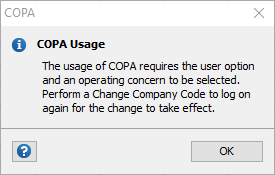
Within User Options in the GL Wand ribbon, tick the “Use COPA” box. Then Save and click the Change Company Code button from the GL Wand ribbon to re-initiate the logon process.

| Parameter | Description |
|---|---|
| Year | A value, e.g. “2017” |
| Period | Period number e.g. “1” |
| Balance Type | YTD – summarizes the full year balance up to the period parameter input
PTD – summarizes the movement for the period parameter input QTD – summarizes the movement for the quarter based on the period parameter input CTD – summarizes the custom period criteria based on the period parameter input e.g. “2:4” |
| Actual Flag | A = Actual; B = Budget |
| Version | If you have selected Budget values, enter the applicable Version. The wizard will automatically insert the correct version for Actuals. |
| Currency Type | The Currency Type as configured in SAP e.g. “10” = Company Code Currency; “B0” = Operating Concern Currency |
| Record Type | The Record Type as configured in SAP e.g. “A” = Incoming Sales Order; “F” = Billing Data |
| Operating Concern | The Operating Concern. This value will default in based on the User Option setting above. |
| Value Field | The Value Field as configured in SAP e.g. “VV010” = Revenue; “VV040” = Cost of goods sold |
| Customer | Optional |
| Product | Optional |
| Billing Type | Optional |
| Sales Order | Optional |
| Order | Optional |
| Company Code | The Company Code. |
| Controlling Area | The Controlling Area. |
| Plant | Optional |
| Business Area | Optional |
| Sales Organization | Optional |
| Distribution Channel | Optional |
| Division | Optional |
| Profit Center | Optional |
| Partner Profit Center | Optional |
| Cost Object | Optional |
| WBS Element | Optional |
| Material Group | Optional |
| Material Group 1 | Optional |
| Prod.hier. 1 bef. 4.5 | Optional |
| Prod.hier. 2 bef. 4.5 | Optional |
| Prod.hier. 3 bef. 4.5 | Optional |
| Product category | Optional |
| Prod.group for SOP | Optional |
| Strategic Bus.Unit | Optional |
| Customer group | Optional |
| Customer classific. | Optional |
| Sales district | Optional |
Authorization Objects
| Authorization Object | Description |
|---|---|
| K_KEB_TC | Profitability Reports |
| K_KEA_ERG | Profitability Analysis: Set Operating Concern |
Authorization Objects
| Authorization Object | Description |
|---|---|
| K_KEB_TC | Profitability Reports |
| K_KEA_ERG | Profitability Analysis: Set Operating Concern |