Connection Manager
The Multi Data Source (MDS) Connection Manager allows administrators to create, edit, delete and test connections to data sources other than SAP.
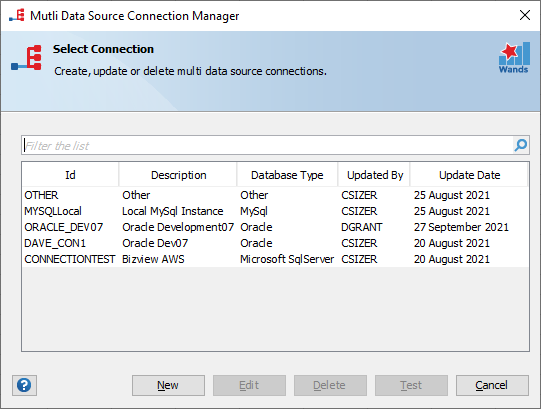
Create a New MDS Connection
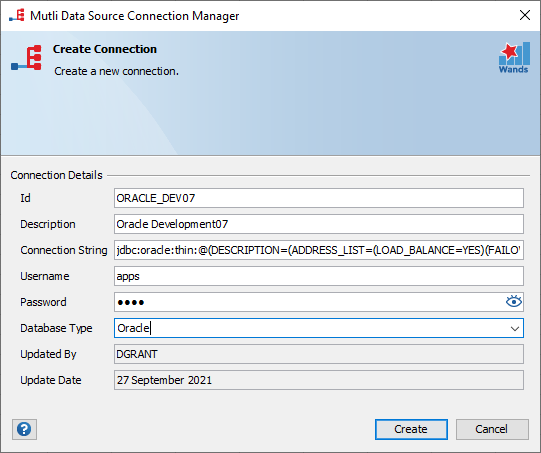
Click on “New” to create a new MDS connection. Enter the relevant connection details, and select the appropriate database type. Click “Create” to complete the process.
Edit a MDS Connection
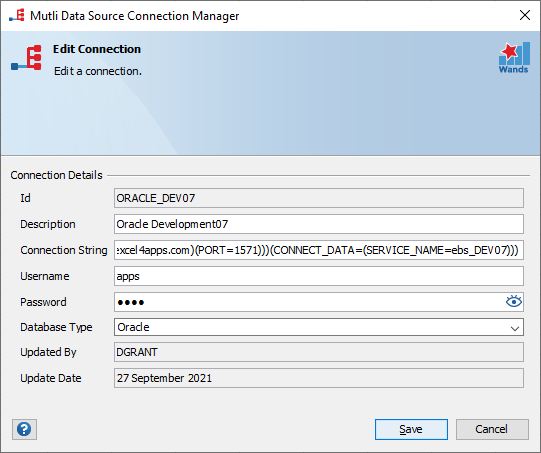
Select the MDS connection you want to update. Click on “Edit” to update MDS connection. Click “Save” to finalize the changes.
Delete a MDS Connection
Select the MDS connection you want to delete. Click on “Delete”, then “Delete” again to confirm that it is the MDS connection you want to delete.

Test a MDS Connection
Select the MDS connection you want to test. Click on “Test”. A validation will be displayed on the dialog header. If the connection fails, an error message will be displayed on the dialog header.
