Launch Configuration
The Launch Configuration is accessed by running SAP transaction code /EXCEL4AP/WANDS_5_MT and then clicking the Maintain Launch Configuration button.
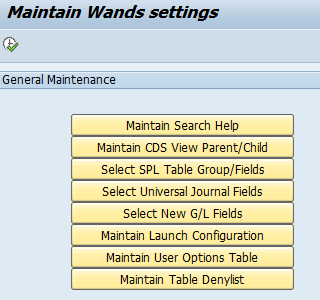
The following settings are available:
| Field Name | Value | Description |
|---|---|---|
| LAUNCHER_WEB_PAGE | The default is the insightsoftware getting started with Wands for SAP page | The web page to be displayed on the SAP launch transaction. You may change this to any web page or use a blank value by using https:// |
| HOST | A hostname or an IP address e.g. myhostname.com or 123.456.7.89 | The host value for the SAP application server. The launch transaction will try to automatically determine this value. If the automatically determined value does not work you can set the value with this field name. |
| PORT | e.g. 33xx | The port value to be used for the application server. This is automatically determined and is not usually required. The standard port used for an application server connection is 33xx where xx is the SAP system instance number. |
| MS_HOST | A hostname or an IP address e.g. myhostname.com or 123.456.7.89 | The host value for the SAP message server |
| MS_PORT | e.g. 36xx | The port value to be used for the message server. The standard port used for a message server connection is 36xx where xx is the SAP system instance number. |
| MS_GROUP | e.g. PUBLIC | The message server group for the Wands users |
| SAP_ROUTER | e.g. /H/sap_rout/H/your_rout/W/pass_to_app/H/yourapp/S/sapsrv | The SAP router string |
| DELETE_PROPS | false | If you do not want the properties file to be deleted, set this value |
| SNC_PARTNER_NAME | e.g. p:CN=EC7, O=SAP, C=US, OU=SAP | The SNC partner name is determined automatically. If the configuration is not complete you can manually define the SNC partner name with this field |
| IGNORE_F_BKPF_GSB | X | If this value is set for this field name the business area authorization object F_BKPF_GSB is ignored |
| IGNORE_F_BKPF_BLA | X | If this value is set for this field name the document type authorization object F_BKPF_BLA is ignored |
| ENCODING | The default value is UTF-8 | Allows the communication with the SAP server to use a different encoding algorithm |
| USE_TAGGED_USERS | The default is not to use tagged users | Set the value of this field name to X to make use of tagged users. This assists with SAP systems with a large number of user ids. Only users that have the /EXCEL4AP/WANDS5 authorization role are then retrieved in the user permissions panel. Please ensure the user has the S_USER_GRP authorization object to display values. |
| SERVICE_URL | The default is to let the application determine the service URL automatically | This setting only applies to the Web Launcher option in the launch transaction code. Set the value of this to a custom URL if you wish to forward the request to the service from another URL. It must be the full URL e.g. https://myhost.com:myport/sap/insightsoftware/wands_sap/launch |
| IGNORE_SSO | The default is to use SSO | Enter an X to use this option if your SAP system is not recognizing its generated re-entrance ticket |
| IGNORE_SNC | The default is to use SNC | Enter an X to use this option to ignore the SNC configuration you have in your SAP system and on your PC |
| LICENSING_MODEL | The default is to use Legacy | Set to Platform if instructed to do so by an Insightsoftware support agent |
| ARCH_GL_LINEITEMS_OBJ | Archiving Object | e.g. FI_DOCUMNT |
| ARCH_GL_LINEITEMS_INFO | Archive Information Structure | e.g. SAP_FI_DOC_002 |